
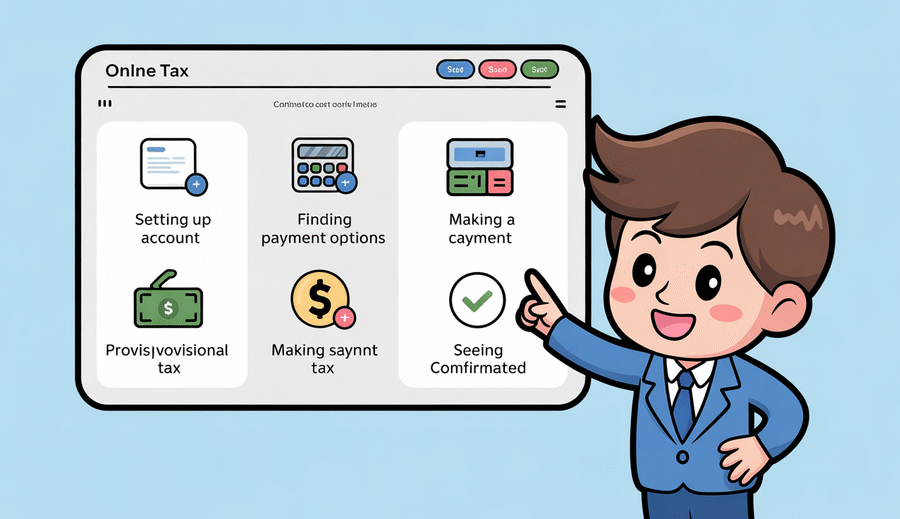
Key Facts: Hong Kong Provisional Tax
- Payment Structure: 75% first installment (typically January), 25% second installment (typically April)
- Holdover Deadline: 28 days before payment due date OR 14 days after demand note issuance (whichever is later)
- Eligibility Criteria: Net chargeable income must be less than 90% of the preceding year
- Late Payment Surcharge: 5% surcharge on default, additional 10% after 6 months
- New eTAX Portals: Individual Tax Portal (ITP), Business Tax Portal (BTP), Tax Representative Portal (TRP) launched July 22, 2025
- Payment Methods: PPS, FPS, e-wallet, bank transfer, ATM, convenience stores (up to HK$5,000)
- Mobile Access: Fully responsive design with dedicated eTAX mobile application
How to Use Hong Kong’s eTAX Portal for Provisional Tax Payments
Hong Kong’s Inland Revenue Department (IRD) has revolutionized tax administration with its comprehensive eTAX system, particularly for managing provisional tax obligations. As of July 22, 2025, the IRD launched three newly redesigned tax portals under the eTAX umbrella: the Individual Tax Portal (ITP), Business Tax Portal (BTP), and Tax Representative Portal (TRP). These platforms offer taxpayers a secure, efficient, and mobile-responsive solution for managing their provisional tax payments and holdover applications.
This comprehensive guide will walk you through everything you need to know about using Hong Kong’s eTAX portal for provisional tax payments, including payment methods, holdover applications, deadlines, and the latest 2025 features designed to streamline your tax compliance.
Understanding Hong Kong’s Provisional Tax System
Before diving into the eTAX portal functionality, it’s essential to understand what provisional tax means in the Hong Kong context. Unlike many jurisdictions that collect tax through regular withholding, Hong Kong operates on a provisional tax system that serves as an estimated prepayment of your next year’s tax liability.
What is Provisional Tax?
Provisional tax is not a separate tax but rather an advance payment toward your tax liability for the current year of assessment. When the IRD issues your tax assessment, it typically includes two components:
- Final Tax: The actual tax liability for the completed assessment year based on your actual income
- Provisional Tax: An estimated tax for the upcoming year, normally based on the assessable income from the preceding year
This system ensures that the government receives tax revenue throughout the year while providing taxpayers with a structured payment schedule.
Payment Structure and Timeline
Provisional tax payments are divided into two installments with specific percentages allocated to each:
| Installment | Percentage | Typical Due Date | Tax Type |
|---|---|---|---|
| First Installment | 75% | January (Salaries Tax) / November (Profits Tax) | All types |
| Second Installment | 25% | April (Salaries Tax) / January (Profits Tax) | All types |
Important Note: Exact deadlines vary each year. Always refer to your IRD demand note for the official payment dates specific to your assessment. For the 2024/25 year of assessment, individuals received their tax returns on May 2, 2025, with the standard filing deadline of June 2, 2025 (or July 2, 2025 for electronic submissions).
The New eTAX Portal System (2025)
On July 22, 2025, the IRD launched a completely redesigned eTAX platform featuring three specialized portals designed to enhance efficiency and user experience. This major upgrade introduced responsive web design, making tax management accessible from any device.
The Three New Tax Portals
1. Individual Tax Portal (ITP)
The ITP provides a centralized platform for individual taxpayers to manage personal tax matters, including:
- Filing salaries tax returns
- Viewing tax assessments and payment status
- Updating personal particulars
- Applying for holdover of provisional tax
- Making tax payments via multiple methods
- Uploading supporting documents (up to 5 files, 200MB total)
2. Business Tax Portal (BTP)
The BTP caters specifically to businesses for handling:
- Profits tax return filing
- Business registration matters
- Employer’s return submissions (expanded to 5,000 records per file)
- Corporate tax compliance tracking
3. Tax Representative Portal (TRP)
Designed for tax professionals, company secretaries, and service providers to manage multiple clients’ tax affairs efficiently through a single interface.
2025 Platform Features
The new eTAX portals incorporate several innovative features designed to streamline tax administration:
- Mobile Responsiveness: Fully responsive design accessible via desktop, tablet, or smartphone through the dedicated “eTAX” mobile application launched July 22, 2025
- iAM Smart Integration: Secure login via iAM Smart/iAM Smart+ for enhanced security and convenience
- Pre-saved Deductions: Automatically pre-fill future tax returns with saved deduction details (charitable donations, MPF contributions, etc.)
- Document Upload Capability: Upload up to 5 supporting documents (200MB total) for amendment requests and holdover applications
- Instant Acknowledgements: Receive immediate confirmation when submitting applications or payments
- User Profile Migration: Existing eTAX users’ profiles have been automatically migrated to the new ITP
How to Pay Provisional Tax Through eTAX
The eTAX portal offers multiple convenient payment methods designed to accommodate different preferences and banking relationships. All payment methods are secure and provide instant confirmation when processed successfully.
Electronic Payment Methods
| Payment Method | Features | Requirements |
|---|---|---|
| PPS (Payment by Phone Service) | 24/7 availability via phone (18031), internet, or PPS mobile app IRD Merchant Code: 10 Daily ceiling for each bill |
Must register PPS account at bank ATM with registration terminals |
| FPS (Faster Payment System) | Instant payment via QR code Available through major banks and e-wallets Payment before midnight = on-time |
Tax bill must have FPS QR code printed No pre-registration required |
| E-wallet (AlipayHK, WeChat Pay) | Scan QR code on tax bill Pay via account balance or credit card |
Active e-wallet account Tax bill with FPS QR code |
| Internet Banking | Direct bank transfer e-Cheque option available |
Online banking account with participating bank |
| Bank ATM | Pay at HSBC/Hang Seng ATMs with “Bill Payment” signage JETCO ATMs with “JET PAYMENT” logo |
Valid bank ATM card |
| Convenience Stores | 7-Eleven, Circle K, VanGO, U select Maximum HK$5,000 per transaction |
Payment voucher with barcode Cash only |
Step-by-Step: Making a Payment via eTAX Portal
- Log into the Individual Tax Portal: Access the ITP at etax.ird.gov.hk using your login credentials or iAM Smart authentication
- Navigate to Payment Section: Select “View Tax Position” or “Make Payment” from the main menu
- Select Outstanding Amount: Review your provisional tax assessment and select the amount to pay (first or second installment)
- Choose Payment Method: Select your preferred payment method from the available options
- Complete Transaction: Follow the prompts for your chosen payment method (e.g., scan FPS QR code, enter PPS details, or proceed to internet banking)
- Receive Confirmation: An e-receipt will be issued through your eTAX account upon successful payment
Important: If the first installment is not paid by the due date, the second installment becomes immediately due, and the entire balance will be deemed in default. This triggers a 5% surcharge on the total amount, with an additional 10% surcharge applied after 6 months of non-payment.
Applying for Holdover of Provisional Tax
One of the most valuable features of the eTAX portal is the ability to apply for a holdover (reduction or deferral) of provisional tax when your income is expected to decrease. This prevents overpayment and improves cash flow management.
Eligibility Criteria for Holdover
You may apply for a holdover of provisional tax if any of the following circumstances apply:
- Reduced Income (Most Common): Your net chargeable income for the current year is expected to be less than 90% of your net chargeable income for the preceding year (i.e., a drop of more than 10%)
- Cessation of Income: You have ceased, or will cease before the end of the year of assessment, to derive income chargeable to salaries tax or profits tax
- Additional Allowances: You have become entitled to an allowance that was not included in the provisional tax notice (e.g., child allowance for a newborn, dependent parent allowance)
- Objection to Previous Assessment: You have formally objected to your tax assessment for the year preceding the provisional tax year
Critical Deadlines for Holdover Applications
Timing is crucial when applying for a holdover. The law provides a two-tier deadline system:
Application must be submitted no later than:
- 28 days before the due date for payment of provisional tax, OR
- 14 days after the date of issue of the notice for payment of provisional tax
- Whichever is LATER
Example: 2025/26 Holdover Application Timeline
Assume you received your tax demand note on August 5, 2025, with provisional salaries tax installments due on:
- 1st installment: January 2, 2026
- 2nd installment: April 1, 2026
For the 1st installment:
- 28 days before payment due: December 5, 2025
- 14 days after demand note: August 19, 2025
- Deadline: December 5, 2025 (the later date)
For the 2nd installment:
- 28 days before payment due: March 4, 2026
- 14 days after demand note: August 19, 2025
- Deadline: March 4, 2026 (the later date)
Recommended timing: Most taxpayers should apply for holdover in November-December 2025 for the first installment to allow sufficient time for IRD processing.
How to Apply via eTAX Portal
- Access the Individual Tax Portal: Log in to the ITP using your credentials or iAM Smart
- Navigate to Holdover Section: Select “Apply for Holdover of Provisional Tax” from the main menu
- Select Tax Type and Year: Choose the relevant tax type (Salaries Tax or Profits Tax) and year of assessment
- Specify Grounds for Application: Indicate the reason for holdover (reduced income, additional allowances, cessation of income, etc.)
- Provide Income Estimate: Enter your estimated net chargeable income for the current year with detailed computation showing the expected decrease
- Upload Supporting Documents: Attach relevant evidence (employment termination letter, profit forecasts, birth certificates for newborns, etc.) – up to 5 documents, 200MB total
- Review and Submit: Carefully review all information before submitting
- Receive Acknowledgement: You’ll receive an instant acknowledgement notification through the portal
- IRD Review: The IRD will review your application and issue a revised assessment or request additional information
Alternative Application Methods
If you prefer not to use the eTAX portal, you can apply via:
- Form IR1121: Complete and submit the official holdover application form
- Mail: P.O. Box 28487, Concorde Road Post Office, Kowloon, Hong Kong
- Fax: 2519 6896
- Enquiry Hotline: 187 8011
Note: You must complete one Form IR1121 for each tax type for which you’re applying for holdover.
Required Documentation
The strength of your holdover application depends on the quality of supporting documentation:
| Grounds for Holdover | Required Documentation |
|---|---|
| Reduced Income |
• Detailed computation showing income comparison • Year-to-date payslips or profit statements • Employment contract amendments (if applicable) • Business financial projections (for self-employed) |
| Cessation of Employment/Business |
• Termination letter from employer • Business cessation notice • Final payslip • Proof of departure from Hong Kong (if applicable) |
| Additional Allowances (Child) |
• Child’s birth certificate • Child’s full name and date of birth |
| Additional Allowances (Dependent Parent) |
• Parent/grandparent’s name, date of birth, HKID number • Confirmation of ordinary residence in Hong Kong • Proof of financial support provided |
Consequences of Late or Non-Payment
Understanding the penalties for late payment is crucial for maintaining tax compliance and avoiding unnecessary financial burdens.
Surcharges and Penalties
| Stage | Timing | Penalty/Action |
|---|---|---|
| Initial Default | Payment not made by due date |
• 5% surcharge on total amount in default • Second installment becomes immediately due • Entire balance deemed in default |
| Extended Default | 6 months after due date |
• Additional 10% surcharge on all unpaid amounts • Applied to outstanding tax + original 5% surcharge |
| Legal Action | After surcharges applied |
• District Court civil proceedings • Court fees, fixed costs, and interest added • Interest from commencement to full settlement |
| Enforcement | Judgment debt unsettled |
• Writ of fieri facias (seizure of movable property) • Charging order on immovable property • Bankruptcy/liquidation proceedings |
Late Filing Penalties (2025)
Hong Kong has implemented stricter penalties for overdue tax return submissions:
- First Offense: HK$1,200 penalty; increases to HK$3,000 if unresolved within 14 days
- Repeat Offense: Immediate HK$3,000 penalty; increases to HK$8,000 if unresolved within 14 days
- Continued Non-Compliance: Fines up to HK$50,000, recovery of three times the unpaid tax amount, criminal charges including imprisonment, and potential travel restrictions
Best Practices for Managing Provisional Tax
Effective provisional tax management can significantly improve cash flow and reduce compliance stress. Here are expert recommendations:
1. Set Up Your eTAX Account Early
Don’t wait until tax season. Register for the Individual Tax Portal well in advance to familiarize yourself with the interface and ensure all your information is current. Existing users’ profiles have been migrated to the new 2025 platform, but verify your details are accurate.
2. Monitor Income Changes Throughout the Year
Keep track of significant income changes that might qualify you for holdover. If you anticipate a drop of more than 10% in your net chargeable income, start gathering documentation early. This is particularly important for:
- Self-employed individuals with variable income
- Employees expecting pay cuts, reduced bonuses, or job changes
- Individuals planning to leave Hong Kong
- Those experiencing life changes (new children, newly dependent parents)
3. Apply for Holdover at the Optimal Time
While you have until 28 days before the payment due date (or 14 days after the demand note), applying in November-December for January payments gives the IRD adequate time to process your application and issue a revised assessment before the due date.
4. Utilize Pre-Saved Deduction Features
Take advantage of the 2025 portal’s ability to pre-save deduction details. Enter your regular deductions (MPF contributions, charitable donations, home loan interest, etc.) once, and they’ll automatically populate in future returns, reducing errors and time spent on filing.
5. Keep Detailed Records
Maintain organized records of all income, deductions, and supporting documents. The ability to upload up to 5 documents (200MB total) means you can provide comprehensive evidence for holdover applications directly through the portal.
6. Choose the Right Payment Method
Select payment methods that align with your preferences:
- For convenience: FPS via QR code or e-wallet
- For 24/7 access: PPS or internet banking
- For small amounts: Convenience stores (up to HK$5,000)
- For record-keeping: Internet banking (provides detailed transaction records)
7. Download E-Receipts for Tax Records
E-receipts issued through the eTAX portal serve as official proof of payment. Download and save these receipts for your records, particularly for business expense documentation.
8. Use Mobile Access for On-the-Go Management
With the 2025 mobile-responsive design and dedicated eTAX mobile application, you can check tax positions, make payments, and submit applications from anywhere. This is particularly useful for busy professionals and frequent travelers.
Common Questions and Troubleshooting
What if my holdover application is rejected?
If the IRD rejects your holdover application or approves only a partial reduction, you must pay the provisional tax as assessed (or as revised). You can request a review by providing additional documentation or explaining your circumstances in more detail. Importantly, you should still pay any amount not held over by the due date to avoid surcharges.
Can I apply for installment payment plans?
Yes, the IRD offers payment by installments in cases of financial hardship. Contact the Holdover of Provisional Tax or Payment by Instalments Application Hotline at 187 8011 to discuss your options. This is separate from the standard two-installment provisional tax structure and requires special approval.
What happens if I over-estimated my income decrease?
If your actual income for the year turns out to be higher than your holdover estimate, you’ll need to pay the difference when your final assessment is issued. While there’s no specific penalty for underestimating your income decrease, significant or repeated discrepancies may lead to closer scrutiny of future holdover applications.
How long does it take for the IRD to process holdover applications?
Processing times vary depending on the complexity of your application and the volume of applications the IRD is handling. Simple cases with complete documentation can be processed within 2-3 weeks. More complex cases requiring additional information may take longer. This is why applying well before the deadline is recommended.
Can I access eTAX services if I’m overseas?
Yes, the eTAX portal is accessible from anywhere in the world with an internet connection. The mobile application and responsive design make it particularly convenient for managing tax obligations while traveling or living abroad temporarily.
2024/25 Tax Year Important Dates
| Event | Date | Notes |
|---|---|---|
| Tax Year Begins | April 1, 2024 | Start of 2024/25 assessment year |
| Tax Year Ends | March 31, 2025 | End of 2024/25 assessment year |
| Tax Returns Issued | May 2, 2025 | Individuals tax returns for 2024/25 |
| Standard Filing Deadline | June 2, 2025 | Paper returns (1 month from issue) |
| Electronic Filing Deadline | July 2, 2025 | Automatic 1-month extension for eTAX filers |
| Sole Proprietor Deadline | August 2, 2025 | Extended deadline for business owners |
| New eTAX Portals Launch | July 22, 2025 | ITP, BTP, TRP with mobile app |
Conclusion
Hong Kong’s eTAX portal represents a significant advancement in tax administration, making provisional tax management more accessible, efficient, and user-friendly than ever before. The July 2025 launch of the redesigned Individual Tax Portal, Business Tax Portal, and Tax Representative Portal brings mobile responsiveness, enhanced security through iAM Smart integration, and powerful features like document upload and pre-saved deductions.
By understanding the provisional tax system, knowing the critical deadlines (particularly the 28-day/14-day holdover rule), utilizing the appropriate payment methods, and taking advantage of the eTAX portal’s comprehensive features, taxpayers can optimize their tax compliance while maintaining healthy cash flow.
Remember that provisional tax is not an additional tax burden but rather a structured prepayment system. With careful planning, timely holdover applications when circumstances warrant, and effective use of the eTAX platform, managing your Hong Kong tax obligations can be straightforward and stress-free.
For the most current information and personalized guidance, always refer to the official IRD website at www.ird.gov.hk or contact the IRD directly through the helpline at 187 8011.
Key Takeaways
- Hong Kong’s provisional tax is paid in two installments: 75% (typically January for salaries tax) and 25% (typically April for salaries tax)
- The new eTAX portals (ITP, BTP, TRP) launched July 22, 2025, offer mobile-responsive access and enhanced features
- Holdover applications must be submitted by the later of: 28 days before payment due date OR 14 days after demand note issue
- You qualify for holdover if your net chargeable income drops by more than 10% (below 90% of previous year)
- Multiple payment options available: PPS, FPS, e-wallet, internet banking, ATM, and convenience stores (up to HK$5,000)
- Late payment triggers 5% surcharge immediately, with additional 10% surcharge after 6 months
- Upload up to 5 supporting documents (200MB total) directly through the eTAX portal
- E-receipts issued automatically for all electronic payments through eTAX accounts
- Electronic filing provides automatic 1-month extension (deadline: July 2, 2025 for 2024/25 returns)
- Mobile access available through dedicated eTAX app and responsive web design for management on-the-go
- Pre-saved deduction features reduce manual entry and errors in future tax returns
Disclaimer: This article is for informational purposes only and does not constitute professional tax advice. Tax laws and regulations are subject to change. For specific guidance regarding your individual tax situation, please consult a qualified tax professional or contact the Hong Kong Inland Revenue Department directly.
Last Updated: December 2025 | Article ID: 18961

 English
  Chinese